PWA Setting
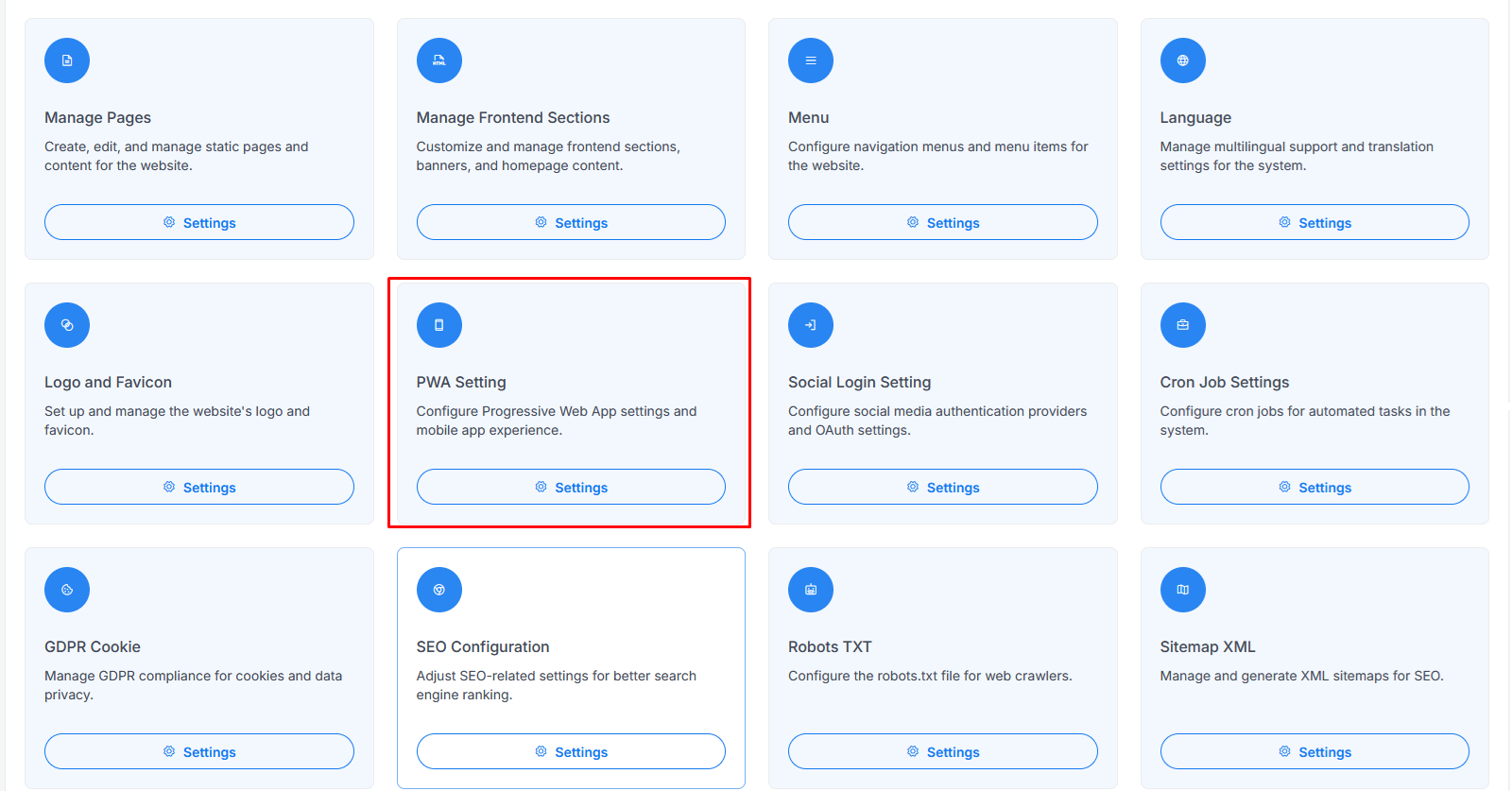
Go to the system setting and select PWA Setting on the list view then click, it will redirect to PWA Configuration page.
warning
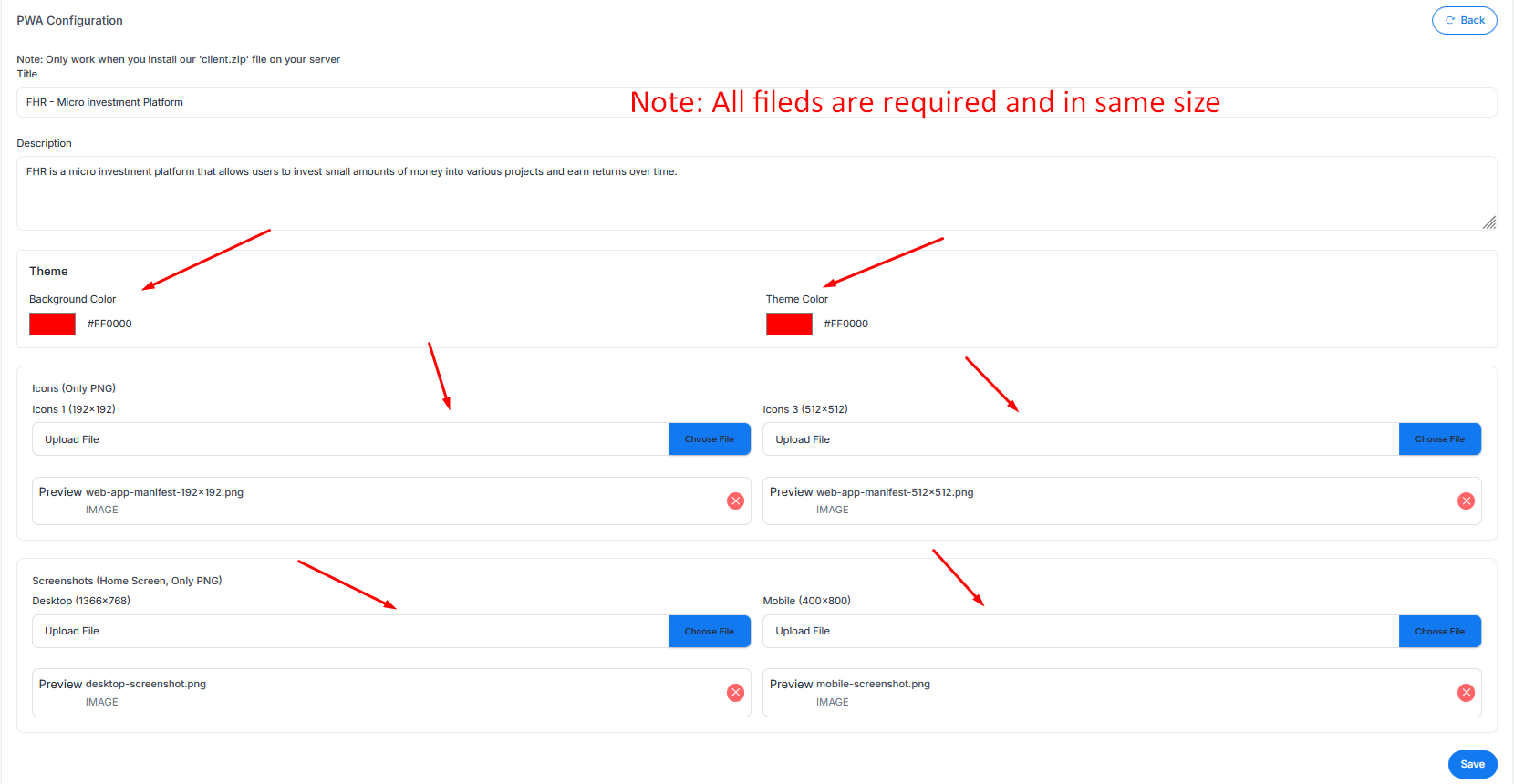
Note: All fields are required and images must be in the specified sizes.
Available Fields
- Title: The title of your application
- Description: The description of your application
- Theme (Background Color & Theme Color): Set the theme colors using hex codes (e.g., #FF0000)
- Icons (Only PNG): Upload icons in 192x192 and 512x512 sizes
- Screenshots (Home Screen, Only PNG): Upload Desktop (1366x768) and Mobile (400x800) screenshots
Click Save to apply your changes.